Artificial intelligence is no longer something that belongs only in research labs or futuristic movies…
In simple terms, AI is technology that allows computers to understand information, recognize patterns, generate content, solve problems and assist with tasks that normally require human intelligence.
Over the last few years, AI has evolved incredibly quickly. We moved from simple chatbots that could answer basic questions to AI systems that can research information, understand images, generate realistic visuals and videos, write and debug code, analyze large documents, create presentations, work with data and communicate through natural voice.
And AI is no longer something we use only when we deliberately think, “I need an AI tool.”
It is gradually becoming part of the software we already use every day.
When we write an email and receive a suggested reply, remove the background from a photo, automatically generate subtitles for a video, ask a chatbot to explain something, summarize a meeting, translate a document, get coding suggestions or receive personalized recommendations, AI may already be working somewhere behind the process.
From AI Assistants to AI Agents
Another important change is happening in 2026.
AI is moving beyond simply answering questions toward systems that can help complete multi-step tasks.
A traditional AI assistant might help you write an email. A more advanced AI agent can potentially work through several stages of a task—gathering information, working with files or connected tools, analyzing what it finds and taking permitted actions toward a larger goal.
That doesn’t mean AI can simply be trusted to run everything by itself. These systems can still misunderstand instructions, make incorrect decisions and produce inaccurate information. Human review remains important, particularly when the consequences of a mistake are serious.
But the direction is clear: AI is becoming less like a tool we occasionally ask a question and more like a technology being integrated into everyday workflows.
The Problem Isn’t Finding an AI Tool Anymore
There are now AI tools for almost everything.
Some help you research and write. Others generate images, videos, voices or music. Developers have AI coding assistants. Businesses can use AI for marketing and automation. Productivity tools can summarize meetings, organize information and help manage everyday work.
And that’s where a new problem appears.
There are so many AI tools that choosing the right one has become difficult.
A tool can look impressive in a demonstration and still be frustrating in everyday use. Some tools are excellent at one specific job but mediocre at everything else. Others offer dozens of features when you may only need one. And paying for several AI subscriptions quickly becomes expensive.
So instead of trying to include every AI product available, we created this guide to focus on 50 AI tools worth knowing about in 2026.
We’ve organized them by what they actually help you do—from AI assistants and research to writing, image generation, video, audio, coding, productivity, automation and marketing.
For each tool, we’ll explain what it does, where it can actually be useful, what limitations you should know about and who it makes the most sense for.
Because the goal isn’t to use as many AI tools as possible.
It’s to find the few that genuinely make your work easier, faster or better.
Let’s explore the 50 best AI tools to know in 2026.
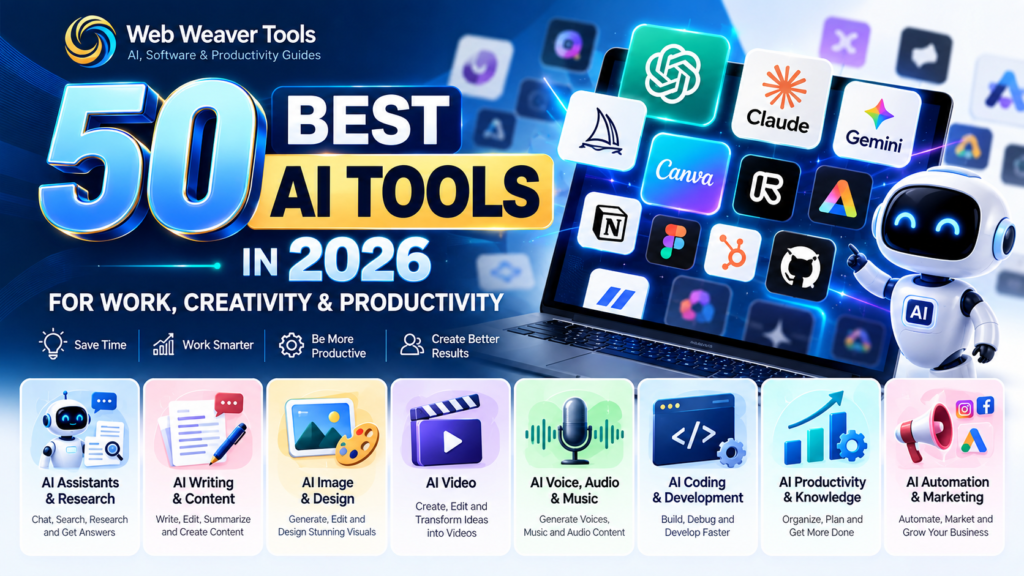
Quick List: 50 AI Tools in 2026
AI Assistants & Research
- ChatGPT
- Claude
- Google Gemini
- Microsoft Copilot
- Perplexity
- Grok
- DeepSeek
- Meta AI
- Mistral Vibe
- Poe
AI Writing & Content
- Jasper
- Copy.ai
- Writesonic
- Grammarly
- QuillBot
- Rytr
AI Image & Design
- Midjourney
- Adobe Firefly
- Leonardo.Ai
- Ideogram
- Recraft
- Krea
- Photoroom
- Canva Magic Studio
AI Video
- Runway
- Kling AI
- Google Flow
- Pika
- HeyGen
- Synthesia
AI Voice, Audio & Music
- ElevenLabs
- Suno
- Udio
- Descript
- Murf AI
AI Coding & Development
- GitHub Copilot
- Cursor
- Claude Code
- OpenAI Codex
- Replit
- Windsurf
- Bolt
AI Productivity & Knowledge
- Gemini Notebook
- Notion AI
- Gamma
- Otter.ai
- ClickUp AI
AI Automation & Marketing
- Zapier
- n8n
- HubSpot AI
AI Assistants & Research
AI assistants have become some of the most widely used AI tools because they can help with many different types of everyday tasks in one place. You can use them to ask questions, understand difficult topics, brainstorm ideas, summarize information, research subjects, work with documents and solve problems through natural conversation.
However, these assistants don’t all work in exactly the same way. Some are particularly useful for research and source-backed answers, while others focus more on writing, reasoning, coding or integration with other software. The right choice depends on what you actually want your AI assistant to help you accomplish.
1. ChatGPT
ChatGPT is probably where many people will start with AI, and that’s understandable. You don’t really need to learn the software before using it. Open a conversation, explain what you’re trying to do and see what comes back.
Where it becomes useful is the back-and-forth.
Suppose you’re trying to write an email and the first version sounds too formal. You can tell ChatGPT exactly that. If the next version becomes too casual, correct it again. You can keep working on the same thing instead of starting from zero every time.
That sounds simple, but it’s a big part of why an AI assistant can feel different from using a normal search engine.
Writing is only one use for it. ChatGPT can help explain a difficult subject, brainstorm ideas, work through code, analyze supported files and images, summarize information and help organize a problem. OpenAI also provides web search and deeper research capabilities, although exactly what you can access depends on your account and available features. OpenAI Help Center
The quality isn’t equally good every time.
Give it a vague request such as “write a good blog about AI” and you’re quite likely to get something generic. The writing can look finished while still saying very little. Give it your actual ideas, audience, examples and restrictions, and it becomes much more useful.
There’s another habit worth learning early: don’t confuse confidence with accuracy.
ChatGPT can explain something in a way that sounds completely convincing and still get a detail wrong. That’s less of a problem when you’re brainstorming names for a YouTube video and a much bigger problem when you’re researching something where the facts matter.
For those jobs, sources still need checking.
What I like about the idea behind ChatGPT is that you don’t have to decide beforehand whether you need a “writing AI,” “research AI” or “coding AI.” You can bring quite different problems into the same conversation.
The trade-off is that a general-purpose assistant isn’t automatically the strongest specialist for every job.
If you want one place to begin exploring what AI can actually help you with, though, ChatGPT makes sense as a starting point.
Best for: General everyday work, brainstorming, writing assistance, learning, research and coding.
2. Claude

Claude can look very similar to ChatGPT when you first open it. There’s a message box, you explain what you need, and the conversation starts.
The difference becomes more interesting when the work gets longer or more complicated.
Claude has become particularly focused on coding, reasoning, tool use and professional knowledge work. Anthropic’s current Claude models are also designed to handle agent-style tasks where the AI has to plan and work through several steps rather than answer a single question. Anthropic
For a normal user, though, the technical model details aren’t necessarily the reason to care about Claude.
Think about a situation where you have a long document and don’t just want a summary. You might want to question an argument, identify inconsistencies, reorganize sections or work through the material gradually. That’s the sort of job where the quality of the conversation matters more than getting a quick answer.
Claude is also interesting for writing because good AI writing isn’t simply about generating more words. Often the useful part is giving the AI something you’ve already written and asking it to help you think about it.
But Claude isn’t magically free from the problems other generative AI systems have.
A response can still sound sensible while missing context. Sometimes an answer can be more elaborate than the job really needs. And if you’re dealing with factual information, you still shouldn’t assume that polished writing means every claim has been verified.
Coding is another area where Claude has become much more important. Anthropic now develops Claude Code separately for developers, while its newer Claude models emphasize coding and agentic work. Anthropic
For someone choosing between Claude and ChatGPT, I wouldn’t make the decision based on which company says its model is smarter.
Give both the same real task you actually care about.
The difference in the results will tell you far more than a benchmark number will.
Best for: Writing, long documents, reasoning, coding and complex knowledge work.
Claude official websitehttps://claude.ai/
3. Google Gemini
Gemini becomes much more interesting when you stop looking at it as simply Google’s version of an AI chatbot.
The Google connection is really the point.
If much of your digital life already happens through Google products, an assistant that can work within that ecosystem has an obvious advantage. Google has been expanding Gemini’s connections with its own products and has introduced features that can use context from services such as Gmail, Photos, YouTube and Search when users choose to connect them. Gemini
That can remove a surprisingly annoying part of using AI: constantly moving information from one place to another.
Gemini itself can handle the usual assistant jobs—questions, writing, explanations, planning, reasoning and creative work—but Google has been pushing it considerably further. In 2026, it added deeper reasoning capabilities, browser integration, agent-style features and new creative tools. Gemini
That also creates one of Gemini’s problems from a user’s perspective.
There is a lot going on.
Different models, different subscription levels, features rolling out in particular countries and new capabilities appearing frequently can make it harder to know exactly which version of Gemini someone else is talking about.
You might read about an impressive feature online, open Gemini yourself and discover that it isn’t available to your account, plan or region yet. Google’s own release notes regularly specify those availability differences. Gemini
That’s something we’ll pay particular attention to when we write our full Gemini review.
As with ChatGPT and Claude, I wouldn’t trust an important factual answer simply because Gemini presents it confidently. The same verification rule applies.
Where Gemini makes the most sense is when its Google integration actually saves you work.
If you’re already spending your day around Google products, that can matter more than tiny differences between AI benchmarks.
Best for: Google users, everyday AI assistance, research, reasoning and connected Google workflows.
Google Gemini official website
4. Microsoft Copilot
Copilot is one of the tools where the name can actually make things more confusing.
Microsoft uses Copilot across its ecosystem, so the experience isn’t just about visiting a chatbot and asking questions. Depending on the product and account you’re using, Copilot can appear alongside Microsoft applications and workplace tools.
And Microsoft has just made that story even bigger.
On September 25, 2026, Microsoft announced a redesigned Copilot built around Home, Code and Autopilot. Home brings Chat and Cowork together and integrates Word, Excel and PowerPoint into the experience. Code is aimed at building solutions, while Autopilot is designed as a persistent agent capable of continuing work rather than waiting for every individual instruction. The Official Microsoft Blog
That’s genuinely interesting—but it’s also why I wouldn’t describe Copilot to a beginner by throwing a list of features at them.
The simpler question is: Do you already work heavily with Microsoft products?
If the answer is yes, Copilot starts making considerably more sense.
Imagine working on a document, spreadsheet or presentation and being able to bring AI into that existing workflow rather than moving the work into a completely separate application. That’s potentially much more useful than having another chatbot tab open.
Microsoft also continues to roll Copilot features out gradually, which means two users may not necessarily have exactly the same capabilities at the same moment. Microsoft Learn
That’s worth remembering when you watch demonstrations online.
The downside of Copilot’s breadth is that it can take a while to understand which Copilot you’re actually dealing with and what your plan includes. For somebody who mainly wants a straightforward AI conversation, another general assistant may feel simpler.
For somebody whose work already revolves around Microsoft’s ecosystem, however, integration can be the bigger advantage.
This is also one tool we’ll need to revisit frequently because Microsoft’s Copilot strategy is changing quickly.
Best for: Microsoft users, workplace productivity, Word/Excel/PowerPoint workflows and business use.
Microsoft Copilot official website
5. Perplexity
Perplexity is the first tool in this list where I’d change the question from “What can this AI create for me?” to “How quickly can this help me find and understand information?”
That’s where it feels different.
Ask a traditional search engine a question and you’re usually given a page of links to investigate. Ask a general AI assistant and you may get a direct answer, but then you have to think about where that information came from.
Perplexity tries to sit somewhere between those experiences.
Its core product searches the web and builds an answer around sources, with citations that let you move from the AI’s summary to the material behind it. Perplexity describes the product as an answer engine that researches the open web in real time. Perplexity AI
That makes it particularly useful when you’re at the beginning of research.
Suppose we were researching one of the individual AI-tool reviews for this website. We could ask Perplexity a question, inspect the sources it finds, open the important ones and then continue our research from the original material.
That’s much better than treating the generated summary as the final source.
And that’s also the limitation people need to understand.
Citations don’t automatically make an answer correct.
A source might be outdated. The AI might interpret it incorrectly. A citation can support only part of a sentence rather than the entire claim you’re reading.
So I would use Perplexity to find and navigate information, not as an excuse to stop checking information.
Its deeper Pro Search can synthesize material from multiple sources, and Perplexity currently supports several AI models for those more advanced searches. Perplexity AI
The product has also expanded beyond simple search into broader research and agent-style workflows, so calling it only an “AI search engine” is becoming increasingly incomplete. Perplexity AI
Still, research remains the clearest reason I’d put Perplexity in this list.
If I’m trying to create something from scratch, I’d probably look first at a general assistant. If I’m trying to understand what’s already out there and find the original sources, Perplexity becomes much more interesting.
Best for: Web research, finding sources, exploring unfamiliar subjects and fact-checking starting points.
6. Grok
Grok is one of those AI assistants that becomes more interesting once you stop thinking of it simply as “another chatbot.”
You can use it for the familiar things—asking questions, writing, brainstorming, researching something or working through a problem. But Grok has expanded quite a bit beyond basic chat. It can work with uploaded files, generate images and video, handle voice conversations and connect with other tools. X AI Docs
One area where Grok stands out is current information. Its search can work with both the web and X, which can be useful when you’re trying to understand something that’s happening right now rather than researching an evergreen topic. X.AI
But I’d be careful about how that advantage is used.
Getting information quickly from social platforms isn’t the same thing as getting information that has already been verified. If you’re researching breaking news or something controversial, a recent post can be useful for discovering what people are saying, but I’d still want to find the original announcement or another reliable source before treating the claim as fact.
Grok has also become considerably more ambitious on the coding side. The current Grok 4.7 model is aimed particularly at coding and knowledge work, while Grok Build can create working websites, applications, games and dashboards from instructions inside a conversation. X.AI
That’s quite a jump from asking an AI assistant a question.
For an everyday user, though, I wouldn’t choose Grok simply because it has a long list of features. I’d ask whether those particular features match the way I work.
If you’re frequently interested in what’s happening on the web and X, want AI creation tools in the same place, or want to experiment with building things through conversation, Grok deserves a look.
If you only need help writing emails or summarizing documents, some of those capabilities may not matter much to you.
That’s something you’ll notice throughout this list: the AI with more features isn’t automatically the AI that’s more useful for you.
Best for: Current-information research, general AI assistance, X users, coding and creative AI work.
7. DeepSeek
DeepSeek became widely discussed because it challenged an assumption many people had about advanced AI: that capable models necessarily had to be extremely expensive to build and use.
From a normal user’s perspective, however, none of that matters very much if the tool doesn’t help with the job in front of you.
What matters is what happens after you type the question.
DeepSeek is useful for general questions, reasoning, mathematics and coding, and the company has continued developing the underlying models rapidly. In August 2026, DeepSeek released V4-Pro with adjustable reasoning effort, and in September followed it with V4.1-Flash, which added native visual understanding while focusing on faster and more efficient operation. DeepSeek API Docs
One thing I like about reasoning-focused AI tools is that they’re more interesting when you give them an actual problem rather than asking for simple information.
Give an AI a straightforward factual question and several assistants may produce similar answers. Give them a messy programming problem, a difficult logical question or something requiring several steps, and differences become easier to see.
That’s how I’d eventually want us to test DeepSeek for our full review.
We shouldn’t ask it ten trivia questions and declare it good or bad. We should give the same difficult tasks to DeepSeek, ChatGPT, Claude and Gemini and look at what actually happens.
Did it understand the problem?
Did it arrive at the correct result?
Did it make an error halfway through?
Could it recover after we pointed the error out?
Those questions tell a reader much more than simply saying a model is “powerful.”
DeepSeek is also interesting for developers because its current model family supports very large context and agent-oriented workflows. DeepSeek API Docs
For an ordinary user, though, I’d keep the decision simpler. Try it on something you already use AI for and compare the result rather than switching because of hype around a benchmark.
Best for: Reasoning, coding, mathematics, technical work and users who want an alternative general-purpose AI assistant.
8. Meta AI
Meta AI is different from several tools above because you may encounter it without deliberately going looking for a separate AI application.
That’s really its biggest advantage.
Meta has been bringing AI into the products people already use, which means the barrier to trying it can be much lower than signing up for another specialized AI service.
For someone who spends a lot of time inside Meta’s ecosystem, that convenience matters. You don’t necessarily want to stop what you’re doing, copy something into another application, get an answer and then return to the original conversation.
And this is something I think AI comparisons often overlook.
People spend a lot of time comparing which model gets a slightly better benchmark result. In everyday use, where the AI is available can matter just as much as how intelligent the model is.
If an assistant is already present at the moment you need help, you’re more likely to actually use it.
At the same time, integration doesn’t automatically make Meta AI the assistant I’d choose for every serious task.
If I’m doing detailed research, I’d care about sources and would probably compare it with a research-focused product. If I’m working through a large coding project, I’d look closely at dedicated coding tools. If I need long-form document analysis, I’d compare the result against other general assistants.
That’s not really a criticism of Meta AI. It’s simply the difference between convenience and specialization.
This is also a tool where privacy settings and what information you’re comfortable connecting to an AI service are worth understanding rather than clicking through without looking. That’s something we’ll investigate carefully in the dedicated Meta AI article instead of making assumptions here.
For everyday questions and casual assistance, particularly for people already living inside Meta’s apps, the convenience alone makes Meta AI worth including in this list.
Best for: Everyday AI assistance and people who already use Meta’s ecosystem heavily.
9. Mistral Vibe
If you’ve seen older AI-tool lists, you may see Le Chat here instead.
That’s no longer the current name.
Mistral renamed Le Chat to Vibe in August 2026, while keeping users’ existing accounts, conversations and plans. More importantly, this wasn’t only a cosmetic rename. Mistral has been turning the product into a broader assistant for work and coding. Mistral Help Center
Vibe now has three main ways of working: Vibe Work, Vibe Code and Vibe Chat. Chat keeps the familiar conversational experience, Work is designed for more involved productivity tasks, and Code is aimed at developers. Mistral Help Center
That makes Vibe interesting because Mistral isn’t trying to leave it as another website where you ask an AI questions.
The product can search the web, work with connected tools and handle more involved agent-style tasks. Mistral says it can connect with more than 100 tools through integrations and MCP compatibility. Mistral
From a user’s point of view, though, there’s a downside to rapid evolution like this.
Old tutorials become outdated quickly.
You might search for “how to use Le Chat,” find a video made a year ago and see an interface or feature set that no longer matches what you’re looking at today.
That’s exactly the kind of thing we need to avoid on Web Weaver Tools.
When we eventually write the dedicated Vibe article, we’ll use the current interface, current plans and current features rather than recycling information from old Le Chat reviews.
I’m also interested in how Vibe feels compared with the much larger AI platforms. Mistral has historically emphasized speed, and earlier versions of Le Chat made fast responses a significant part of the product. Mistral
But speed by itself isn’t enough.
I’d rather wait a few extra seconds for an answer that understands what I’m asking than receive a fast answer that I have to rewrite three times.
So our proper test later should look at both: how quickly Vibe responds and how much correction the response needs afterward.
Best for: General AI assistance, productivity, connected work, coding and people interested in Mistral’s models.
10. Poe
Poe solves a different problem from most of the assistants we’ve covered so far.
Suppose you want to use ChatGPT-style models for one task, Claude for another, Gemini for something else and an image or video model later.
Normally that means jumping between several websites and potentially managing several accounts or subscriptions.
Poe’s idea is to bring a large collection of AI models and bots into one platform.
It currently provides access to models and tools from companies including OpenAI, Anthropic, Google, Meta and others, alongside image, video and audio generators and a very large collection of user-created bots. Poe Help Center
That makes Poe genuinely useful for comparison.
If I’m wondering whether Claude handles a particular writing task better than another model, having both available in one place makes experimenting much easier.
But this convenience introduces a problem too: choice overload.
A beginner can open a platform containing dozens or hundreds of model options and have absolutely no idea which one to choose.
And once you start seeing different versions of the same model family, specialized bots and community-created bots, the number of choices can become a distraction rather than an advantage.
That’s why I wouldn’t recommend Poe to somebody by simply saying, “It gives you lots of AI models.”
The real question is whether you need access to lots of models.
If you already know that one assistant handles everything you need, using that assistant directly may be simpler.
If you’re experimenting, comparing outputs, creating different kinds of media or regularly switching between AI providers, Poe starts to make considerably more sense.
There is another thing we’d need to examine in our full review: how Poe’s usage system compares with paying for individual services directly. Having access to a model through Poe doesn’t necessarily mean the experience, limits or newest features will always be identical to using that model through its creator’s own product.
That’s an important distinction, especially for someone considering a paid plan.
So I see Poe less as a replacement for every AI company and more as a single place for people who deliberately want variety.
Best for: Comparing AI models, experimenting with different providers and accessing multiple types of generative AI from one platform.
AI Writing & Content Tools
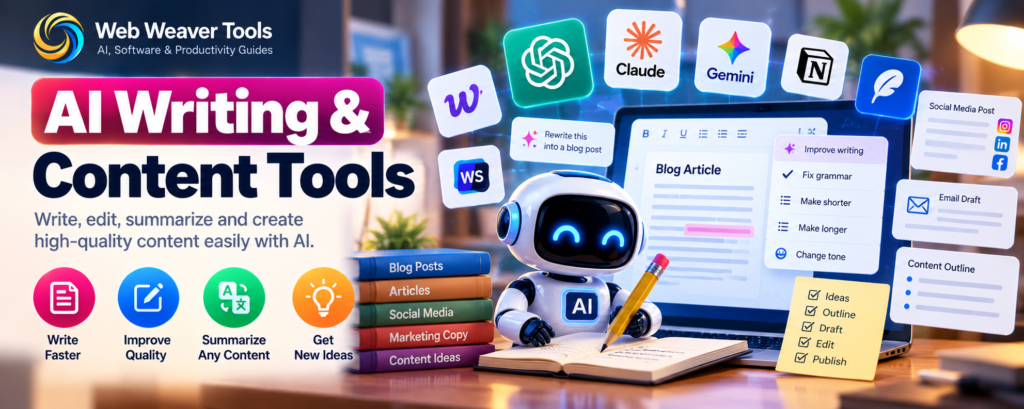
AI writing tools are designed to make different parts of the writing process faster and easier. They can help generate ideas, create first drafts, rewrite unclear sentences, improve grammar, summarize existing material and adapt content for different audiences or platforms.
Their real value isn’t necessarily replacing the person doing the writing. They can be much more useful as writing assistants—helping you get past a blank page, organize your thoughts and improve a draft while you remain responsible for the ideas, accuracy and final voice of the content.
11. Jasper
Jasper used to be easy to describe as an “AI content writer.” That description doesn’t really fit the product anymore.
Jasper is now much more deliberately built around marketing teams. It combines content creation with brand voice, audience information, marketing workflows, collaboration and specialized marketing agents. Its current platform includes tools such as Jasper IQ, Canvas, Studio and a library of purpose-built marketing agents. Jasper
That distinction matters.
If I only wanted help rewriting one paragraph or brainstorming five blog titles, I’d question whether I really needed a dedicated platform like Jasper. General assistants can already handle jobs like that reasonably well.
Jasper starts making more sense when the problem is bigger: perhaps several people are producing emails, landing pages, ads and social posts for the same company, and all of it needs to sound as though it came from the same brand.
That’s where features such as Brand Voice, Audiences and shared company knowledge become more meaningful. Jasper can retain that context instead of forcing the marketer to explain the same brand information every time. Its Canvas workspace also lets teams set project-level brand voice, audience and campaign goals while working together on content. Jasper Help Center
Still, having a brand-voice setting doesn’t automatically make generated copy interesting.
AI can follow instructions about tone and still produce marketing language that feels safe, predictable or too polished. I’d want a human marketer deciding what the campaign is actually trying to say rather than asking Jasper to make that decision.
That’s probably the right way to think about Jasper in 2026: less as a replacement for the marketer and more as infrastructure for a marketing team using AI repeatedly.
For a freelancer writing an occasional article, it may be more platform than necessary. For a business trying to coordinate a large amount of branded marketing content, the reason for using it becomes much clearer.
Best for: Marketing teams, brand consistency, campaign production and businesses creating content at scale.
12. Copy.ai
Copy.ai is another product whose name can give you an outdated idea of what it does.
The name sounds like a tool you’d open when you need some advertising copy. That’s certainly part of its history, but Copy.ai has moved toward a much broader go-to-market AI platform, with workflows spanning marketing and sales rather than just generating paragraphs.
That changes how I’d evaluate it.
Generating ten versions of a product description isn’t particularly difficult anymore. Almost every capable general AI assistant can do that. The more interesting question is whether a platform can fit into the repetitive work happening around content, leads, sales and marketing.
That’s where Copy.ai is trying to be useful.
For example, a business may have information spread across its CRM, sales calls, company documents and marketing systems. The real problem isn’t always “we can’t write this email.” Sometimes it’s getting the right information into the right process before the email is written.
A workflow-oriented tool has more potential there than a blank AI text box.
But there’s a trade-off.
The more automation you introduce into customer-facing content, the easier it becomes to produce a lot of mediocre communication very quickly.
Imagine receiving a sales email that is technically personalized—your company name is correct, your industry is mentioned and perhaps it references something about your website—but you can still immediately tell that nobody actually thought about why they were contacting you.
That’s not good personalization. It’s automated filling-in-the-blanks.
So if I were using Copy.ai for sales or marketing, I wouldn’t judge it by how many messages it could generate. I’d look at whether the workflow gives the human enough control to keep the communication relevant.
Used carefully, that can save repetitive work. Used carelessly, it can simply help a company send generic content faster.
Best for: Marketing and sales teams that want AI inside repeatable go-to-market workflows rather than only a standalone writing generator.
13. Writesonic
Writesonic is interesting because it sits somewhere between an AI writer, an SEO platform and an AI-search visibility tool.
That combination makes sense when you look at what content marketers are dealing with now.
A few years ago, someone using an AI writing platform might mainly have wanted help producing a blog post around a Google keyword. Today there’s another question: does your brand appear when people ask ChatGPT, Gemini or other AI systems about the subject?
Writesonic has been building around both traditional search content and this newer AI-search environment.
For someone running a website, that sounds attractive because research, writing and optimization are closely related jobs. Jumping between five separate tools just to produce one article gets tiring.
But this is also where I’d be careful.
An SEO score can make writing feel more scientific than it really is. You add another keyword, change a heading, increase a score—and suddenly it feels as though the article must be better.
A higher optimization score doesn’t necessarily mean a reader learned anything useful.
The same problem applies to AI-generated articles. Writesonic can help get a draft moving much faster, but speed isn’t the part of blogging that I’d optimize above everything else. If ten competing websites can generate roughly the same article from the same keyword, publishing the eleventh version doesn’t give readers much reason to choose yours.
For Web Weaver Tools, for example, I would rather use AI to help with research, structure and gaps in coverage, then add our own testing and observations, than ask a platform to generate 50 finished reviews and publish them untouched.
That’s where I see the useful side of Writesonic: helping with the content process rather than becoming the entire content process.
Best for: SEO-focused content teams, marketers and website owners who want writing and search-visibility tools together.
14. Grammarly
Grammarly is different from most of the tools in this section because you don’t necessarily open it when you want AI to create something.
Often it catches you while you’re already writing.
That sounds like a small difference, but it’s probably Grammarly’s biggest practical advantage. A grammar checker is most useful when it’s available inside the email, document or website where the mistake is happening—not after you’ve copied everything into another application.
The product has grown far beyond correcting spelling and punctuation. Grammarly now offers an AI-native Docs editor, multilingual writing support, AI agents and Go, an assistant designed to work across applications and understand the context of what you’re doing. Grammarly itself remains a product, while its parent company was renamed Superhuman. Grammarly
Still, the old grammar-checking problem hasn’t disappeared: not every suggestion should be accepted.
Sometimes a sentence is unusual because it’s wrong. Sometimes it’s unusual because that’s how the writer wanted it to sound.
If you accept every suggestion automatically, writing can gradually become cleaner but also flatter. Personality often lives in the little choices that aren’t technically the most standardized way of constructing a sentence.
That’s why I like the idea of Grammarly more as a second pair of eyes than an automatic correction machine.
If it highlights a sentence, look at it. Ask whether the suggestion makes the meaning clearer. If it does, use it. If your original wording communicates the idea better, keep it.
Its newer AI features make that judgment even more important because Grammarly can now do considerably more than fix a comma. It can rewrite, generate, provide feedback and work with specialized writing agents. Grammarly
For someone who writes emails, reports, articles or client communication every day, that assistance can be genuinely useful. Just don’t let “correct” slowly become “everybody sounds the same.”
Best for: Editing, grammar, professional communication and people who want writing assistance available while they work.
15. QuillBot
QuillBot became popular for a very straightforward reason: sometimes you’ve already written something and the sentence just doesn’t sound right.
You don’t necessarily want an AI to write a new article. You want another way of saying the thing that’s already in your head.
That’s where paraphrasing tools can be genuinely handy.
Paste in a sentence, look at a few alternatives and you may spot a cleaner way to express the idea. It’s particularly useful when you’re stuck repeating the same word or when a paragraph feels awkward but you can’t immediately see why.
QuillBot has expanded considerably beyond that original paraphrasing role. Its current apps include grammar checking, generative AI, AI chat, translation, AI detection and image creation alongside the Paraphraser. Quillbot Help Center
But paraphrasing is also where I’d put one of the biggest warnings around the tool.
Rewriting somebody else’s sentence doesn’t automatically make the underlying idea yours.
If someone takes an article from another website, runs every paragraph through a paraphraser and publishes the result, they haven’t really created useful original content. The words may have changed, but the work behind them hasn’t.
There’s also a more subtle problem.
Sometimes the original sentence is already the clearest way to say something. A rewritten version may look more sophisticated while actually becoming harder to understand.
That’s why I wouldn’t use QuillBot with the goal of making every sentence “different.” I’d use it when a specific sentence isn’t working and I want alternatives to consider.
Its mobile keyboard integration is particularly practical because writing assistance can be used inside other applications rather than requiring constant copy-and-paste. Quillbot Help Center
Used that way, QuillBot can help you get unstuck without asking AI to take over the whole piece.
Best for: Paraphrasing, rewriting awkward sentences, grammar assistance and improving existing drafts.
16. Rytr
Rytr is closer to what many people originally imagined when they heard the term AI writing assistant.
You give it some direction, choose what kind of content you’re working on and use AI to help generate or rewrite the text.
There’s something appealing about that simplicity.
Not everybody wants a marketing operating system, dozens of AI agents and a complicated automation builder. Sometimes you just need help getting a short piece of writing started.
A freelancer might need several headline ideas. A small business owner might be staring at an empty product description. Someone managing social media may know what they want to say but not how to turn the idea into a clean caption.
For those jobs, a lightweight writing assistant can be enough.
The question I’d ask with Rytr is the same one I’d ask with any dedicated AI writer in 2026: what does it give me that a general assistant doesn’t?
That’s a much harder question today than it was a few years ago.
ChatGPT, Claude, Gemini and other general tools have become capable writers themselves. A specialized writing product therefore has to win through convenience, templates, workflow, consistency, price or some other practical advantage—not simply because it can generate text.
And regardless of which tool generates the draft, short marketing copy can still fall into familiar patterns: exaggerated claims, predictable adjectives and sentences that sound perfectly acceptable but could belong to almost any company.
I’d especially watch for that with business content.
If you remove your company name from the generated paragraph and the same copy could describe ten competitors, the writing probably needs more of your actual information.
That’s why Rytr makes the most sense to me as a starting assistant: use it to get past the blank page, then bring your own details and judgment into the result.
Best for: Short-form content, brainstorming, quick drafts and users who want a relatively straightforward AI writing assistant.
AI Image & Design
Creating professional-looking visuals once required considerable design experience, specialized software or help from a designer. AI image and design tools have made parts of that process much more accessible by allowing users to describe an idea in words and turn it into an image, illustration, product visual or design.
Different tools are useful for different jobs. Some focus on highly creative image generation, while others are better suited to graphic design, text inside images, product photography, background removal or editing existing visuals. Choosing the right one depends heavily on the type of image you’re trying to create.
17. Midjourney

Midjourney is one of the first tools I’d look at when visual quality itself is the priority.
It has built a reputation around images that often look polished before you’ve done much editing. That’s useful when you’re exploring concepts, creating artwork, developing a visual direction or simply trying to turn an idea in your head into something you can see.
But good-looking doesn’t always mean accurate.
You can describe a scene in detail and still find that Midjourney has interpreted one part differently from what you imagined. Sometimes that unexpected result is actually better. Other times it’s frustrating because the image looks fantastic except for the one thing you specifically needed.
That’s where learning how to guide the model starts to matter.
Midjourney’s current V8.2 model focuses on aesthetics, image quality and personalization, and its web tools now include editing, inpainting, outpainting, image references, moodboards and personalization profiles. Midjourney
Personalization is particularly interesting because you can teach Midjourney more about the visual styles you prefer instead of explaining your taste from scratch in every prompt. Midjourney
I wouldn’t expect perfection just because the image looks realistic, though. Small details still deserve inspection. Hands, objects interacting with each other, lettering, repeated patterns and very specific compositions are exactly the kinds of things I’d zoom in on before using an AI image commercially.
And if you’re trying to create a precise business design rather than artwork, sometimes a design tool where you can manually position every element will be less frustrating.
That’s an important distinction: Midjourney can be brilliant at creating the visual, but that doesn’t mean it should replace the rest of your design workflow.
Best for: High-quality AI artwork, concept visuals, creative exploration and developing distinctive visual styles.
18. Adobe Firefly

Firefly makes the most sense when you think about it as AI entering an existing creative workflow, rather than another website where you type a prompt and receive an image.
That’s an important difference for designers.
Sometimes you don’t need AI to invent the whole picture. You already have an image that’s 90% right. There’s an unwanted object in the background, the canvas needs extending, or one part of the composition needs changing.
In those situations, generating an entirely new image can actually create more work.
Adobe has been integrating Firefly’s generative capabilities into its creative ecosystem, which makes the combination of generation and traditional editing the more interesting part of the product.
This is also how I would judge Firefly against something like Midjourney. I wouldn’t simply generate the same picture in both and decide which one looks prettier.
I’d ask what happens after the image is generated.
Can I fix the problem easily? Can I bring the result into the rest of my design workflow? Can I continue editing instead of accepting whatever the AI decided?
That’s where Adobe’s existing creative tools can become an advantage.
There’s still a learning curve, especially if someone opens an Adobe application for the first time expecting it to work like a simple chatbot. Having more control also means having more things you can control.
And AI generation doesn’t eliminate the need for design judgment. Firefly can give you material to work with; it can’t decide whether your advertisement communicates the right message or whether the composition fits your brand.
For someone already working in Adobe’s ecosystem, though, having generative AI available inside the same broader workflow can be more useful than constantly exporting images between unrelated tools.
Best for: Designers, Adobe users, generative editing and creative workflows where AI is only one part of the job.
19. Leonardo.Ai

Leonardo.Ai sits in an interesting middle ground.
It gives you the excitement of generating an image from a prompt, but it’s also trying to give creators more control over what happens after that first generation.
And control is where AI image generation gets difficult.
Getting one good picture isn’t necessarily hard anymore. Getting five images that belong to the same campaign—with a similar character, visual language and overall feeling—is a much more demanding job.
That’s the sort of problem I’d want to investigate when evaluating Leonardo.
If I were making visuals for a game, a social-media campaign or a brand project, I wouldn’t care only about the best image the model produced. I’d care about how many attempts it took to get there and whether I could reproduce that direction afterward.
Because that’s where AI can quietly waste time.
Generating an image takes seconds, so it feels fast. But if you generate 40 versions, repeatedly change the prompt and then manually repair the final result, the “instant” workflow may not have been particularly instant at all.
Leonardo offers generation and creative editing tools aimed at giving users more control over that process.
It can be especially attractive to someone who wants to explore several visual directions without immediately moving into heavier professional design software.
But I’d still keep the final purpose in mind. An impressive fantasy character and a usable product advertisement are very different design problems.
That’s why our detailed Leonardo review later shouldn’t just contain a gallery of attractive generations. We should give it specific jobs and see how much effort each job actually requires.
That’s a much fairer measure of whether an AI image tool saves time.
Best for: Creative image generation, game/design concepts, marketing visuals and creators who want more control over AI imagery.
20. Ideogram

Ideogram immediately becomes interesting when your image needs actual words inside it.
That sounds surprisingly basic until you’ve used AI image generators.
Ask some image models to create a poster containing a specific sentence and you may get a beautiful design with letters that look as though they came from a language nobody speaks.
One letter is wrong. A word disappears. Something that looked correct in the thumbnail turns into nonsense when you zoom in.
Ideogram has made text rendering one of its major strengths. The company currently claims 95% text-rendering accuracy and provides tools for extracting generated text into editable layers. Ideogram
That makes it particularly interesting for posters, advertisements, signs, packaging concepts and social-media graphics.
But I still wouldn’t blindly trust generated text.
If we’re making an advertisement for Web Weaver and the phone number, price or company name matters, we check every character manually. A 95% success rate is impressive for generative imagery, but the remaining 5% matters a lot when the wrong character is in your contact number.
Ideogram also has Canvas with Magic Fill and Extend, so you’re not limited to accepting the first generated composition. You can modify areas and expand images afterward. Ideogram
For me, that’s more useful than simply saying “Ideogram makes nice pictures.”
Its real reason for being on this list is that it addresses one of the annoying practical weaknesses of AI image generation: combining imagery and readable typography.
Even then, for an important final advertisement, I’d often prefer to generate the visual and keep critical text editable until the end rather than permanently baking everything into the image.
AI can create the design. Your eyes still need to proofread it.
Best for: Posters, social graphics, advertisements, typography-heavy images and designs where generated text matters.
21. Recraft

Recraft is one of the tools I’d look at when the job starts moving from “make me a picture” toward “help me create a design asset.”
Those aren’t quite the same thing.
A beautiful AI image might work perfectly as inspiration and still be awkward when you try to use it in an actual brand system, website or piece of marketing material.
Design work often needs consistency.
You may need icons that look like they came from the same family, illustrations that follow the same visual language, or assets that can be adapted to several formats without rebuilding everything.
That’s where a design-oriented AI platform becomes more interesting than a pure image generator.
Recraft has positioned itself heavily around designers and brand/visual assets, including raster and vector-oriented creative work.
And vectors matter.
If you’re making something that may need to appear small on a website today and much larger somewhere else tomorrow, a proper scalable design asset can be much more useful than a fixed AI-generated image.
Still, I wouldn’t expect AI to understand a brand simply because I supplied a logo and a couple of colors.
Consistency has to be tested.
When we do our full Recraft review, I’d like to give it a small fake brand kit and ask it for several different assets. Then we can put them side by side and ask a simple question:
Do these actually look as though the same designer made them?
If the answer is yes, that’s genuinely useful.
If every asset looks good individually but completely different when placed together, the tool hasn’t solved the real design problem.
Best for: Designers, brand assets, illustrations, vector-style graphics and consistent visual systems.
22. Krea
Krea is interesting because image generation doesn’t have to feel like placing an order and waiting for the AI to come back with something.
Its real-time tools make the process feel more interactive.
Krea can update an image as you change the prompt, composition, colors or style, letting you see the direction change while you’re working. Krea
That can change how you approach prompting.
With a normal generator, you might write a detailed prompt, press Generate, wait for the result, realize something is wrong, rewrite the prompt and repeat the process.
With real-time feedback, you can explore more gradually.
And I think that’s useful for people who don’t know exactly what they want at the beginning.
Sometimes you’re not trying to reproduce a finished picture that’s already in your head. You’re looking for the picture while you’re creating it.
Krea’s approach makes sense for that kind of experimentation.
The danger, strangely enough, is that experimentation can become addictive.
When every small change produces another visual, it’s very easy to spend 30 minutes trying “just one more version” instead of deciding that version seven was already good enough.
That’s not really the software failing. It’s a workflow problem that comes with tools where generating alternatives costs almost no effort.
Krea also provides variations, enhancement and other creative tools around the generation process. Krea
So when we test it properly, I don’t just want to ask whether Krea can make a nice image.
I want to see whether the interactive workflow helps us reach the image we wanted with less frustration.
That’s a much more interesting test.
Best for: Real-time visual experimentation, creators exploring ideas and people who like adjusting an image interactively.
23. Photoroom

Photoroom is the tool in this category where I’d stop thinking about fantasy artwork and start thinking about a person trying to sell something online.
Suppose you’ve taken a decent photo of a product with your phone.
The product itself looks fine, but the table is ugly, the lighting isn’t ideal and there’s random stuff in the background.
You don’t necessarily need an AI art generator.
You need that ordinary photo to look like something you’d actually put on a product page.
That’s where Photoroom makes sense.
Its tools are heavily focused on product photography: background removal, AI backgrounds, product staging, shadows, recoloring, resizing, batch editing and even virtual fashion models. Photoroom
That specialization is valuable because the goal isn’t simply to make an image attractive.
The product still needs to look like the actual product.
And that’s where I would be particularly strict with AI.
If I’m selling a bag and AI subtly changes the zipper, logo, stitching or shape, the resulting image might look better but it’s now showing the customer something they aren’t actually buying.
Photoroom itself has been working on product-fidelity checks for generated visuals, which tells you how important that problem is. Photoroom
So the correct question isn’t “Can AI make this product photo beautiful?”
It’s:
Can it improve the presentation without changing what I’m selling?
For e-commerce, that difference is everything.
This is one of the tools where our eventual test should use a real object. Take an ordinary phone photo, remove the background, create a few settings and compare every generated version against the original product.
That would tell readers far more than repeating the feature list.
Best for: E-commerce sellers, product photography, background removal and creating cleaner product listings.
24. Canva Magic Studio
Canva Magic Studio is probably the easiest tool in this section to misunderstand if you evaluate it purely as an AI image generator.
That’s not really why I’d choose it.
Canva’s biggest advantage is what happens around the AI.
You can start with an idea, generate something, put it into an actual design, add your own text and logo, resize it for another platform and continue editing—all without leaving the same environment.
Magic Studio brings Canva’s AI-powered tools into that existing design workflow. Canva positions it specifically around making AI creation accessible without requiring people to learn complex creative software. Canva
For a small business owner or social-media manager, that convenience can matter more than producing the most artistically impressive AI image.
Let’s say we need an Instagram post for Web Weaver.
Generating the background isn’t the whole job.
We still need the headline, logo, contact information, spacing, brand colors and probably another version for a Story or advertisement.
A specialized image generator may create the better raw artwork. Canva may make it easier to turn that artwork into the finished thing we’re actually going to publish.
That doesn’t mean its AI will always give you exactly what you imagined.
Templates can also become a trap. If you rely too heavily on whatever Canva suggests, your business content can start looking like thousands of other businesses using the same visual language.
So I’d use the AI to speed up the boring parts without giving up control over the identity of the design.
And that’s really where Canva fits in this category.
It’s not necessarily about winning an image-generation competition against Midjourney. It’s about getting from idea → design → finished content without needing to become a professional designer first.
Best for: Social-media graphics, business marketing, presentations, everyday design and people who want AI inside an easy visual editor.
AI Video
AI is changing video creation from a process that depends entirely on cameras, actors, editing and existing footage into something with many more possibilities. Modern AI video tools can generate clips from text or images, create talking avatars, modify existing footage and help with different parts of the editing process.
That doesn’t mean creating a good video has suddenly become effortless. Consistency, realistic movement, accurate details and creative control can still vary considerably between tools. The most useful option depends on whether you’re creating social content, advertisements, presentations, cinematic clips, educational videos or something else entirely.
25. Runway

Runway is one of the tools I’d look at when I want AI video generation but still care about having some creative control over what happens.
A simple prompt can produce a clip, but the interesting part starts when you ask for something specific: a particular camera movement, an action happening in sequence, or motion that needs to follow an existing image.
Runway’s current Gen-4.5 model supports text-to-video and image-to-video, and Runway says it is designed to follow detailed instructions involving camera choreography, scene composition and sequences of events. Runway
That’s exactly the sort of claim I’d want to test rather than simply repeat.
If I ask for “a man walks toward the car, opens the rear door and puts a bag inside,” does the sequence actually happen correctly? Or does the door magically disappear, the bag change shape or the person’s hand pass through the car?
Those little mistakes are where AI-generated video stops looking magical.
Image-to-video is particularly interesting because sometimes I don’t want the AI inventing everything. I already have the visual I want; I just need believable movement added to it.
Even then, I’d expect some trial and error. AI video generation still isn’t like traditional editing where moving an object five pixels to the left gives you exactly the change you requested.
And generation cost matters more with video than images. Runway’s Gen-4.5 currently consumes credits based on video duration, so repeatedly regenerating a clip that isn’t quite right can use your allowance quickly. Runway
That’s something our individual review should measure: not just the best result, but how many attempts it took to get that result.
A beautiful clip after one generation and a beautiful clip after twenty generations aren’t really the same experience.
Best for: AI filmmaking, creative video generation, image-to-video and creators who want more control over cinematic results.
26. Kling AI
Kling AI became interesting because of how quickly AI-generated movement started looking more believable.
That’s one of the hardest parts of generative video.
A still image can hide plenty of mistakes. Once the person starts walking, turns around, picks something up or interacts with another object, the model has many more opportunities to get something wrong.
And those mistakes can be strange.
An arm can briefly change shape. An object can appear in the wrong hand. A person’s face may look slightly different after they turn their head. Physics can work perfectly for several seconds and then suddenly stop making sense.
That’s why I wouldn’t evaluate Kling by finding its most impressive viral clip.
I’d give it something deliberately ordinary.
For example, take a consistent character and ask that person to walk into a room, sit down and pick up a cup. Then try another shot with the same character.
If Kling can preserve the person’s appearance, understand the actions and create believable motion without endless regeneration, that’s much more useful than producing one spectacular scene.
Kling supports text-to-video and image-driven generation, and its newer models have continued pushing toward more controllable motion and cinematic output.
Image-to-video is particularly valuable for us because it gives us a way to start from a visual we already approve instead of asking the AI to invent the subject and movement simultaneously.
But there’s another practical issue with every high-end AI video generator: waiting for a generation that turns out wrong feels much worse than getting a bad text response.
With text, you can often correct one sentence immediately. With video, you may have spent credits and generation time only to discover that the final two seconds ruined the shot.
That’s something we’ll pay attention to when we test Kling properly.
Best for: Realistic AI motion, cinematic clips, image-to-video and creators experimenting with generative filmmaking.
27. Google Flow

Flow is the tool I’d approach differently from a normal text-to-video generator because Google built it around filmmaking, not simply generating isolated clips.
It brings Google’s Veo video generation together with Gemini and Google’s image-generation technology in an environment designed around creating scenes and stories. blog.google
That distinction matters.
Making a ten-second video of a car driving through the rain is one problem.
Making five shots that look like they belong to the same film is much harder.
The car needs to remain the same car. The location shouldn’t suddenly change architecture. The lighting needs to make sense. A character shouldn’t mysteriously acquire different clothes between shots.
That’s where AI filmmaking becomes more demanding than AI video generation.
Flow is interesting because it’s trying to give creators a way to build around scenes rather than treating every prompt as an unrelated generation.
For someone making advertisements, short films or storytelling content, that could be much more useful than having a folder containing twenty beautiful clips that don’t fit together.
But I’d still expect AI to surprise us.
Sometimes that’s good. You describe a camera movement and the model interprets it in a way you hadn’t considered.
Sometimes it’s annoying. You have a very specific picture in your head, and after four prompts you’re still trying to convince the AI to put the camera where you wanted it in the first place.
That’s why I wouldn’t call Flow a replacement for filmmaking knowledge.
Knowing framing, camera movement, pacing and storytelling can actually become more useful when AI gives you the ability to generate those things quickly.
For our full review, I’d like us to attempt one small 30–60 second story rather than generating random clips. Then we’ll know whether Flow actually helps maintain a coherent sequence.
Best for: AI filmmaking, cinematic storytelling, scene creation and creators working with Google’s Veo ecosystem.
28. Pika
Pika makes more sense to me when the goal is quick creative video rather than trying to reproduce an entire traditional film-production workflow.
That’s not a weakness.
A lot of people don’t need a three-minute cinematic sequence. They need something visually interesting for a social post, a short transition, an effect or a small piece of content that catches attention.
That’s where speed and experimentation become valuable.
You can start from text or an image and explore different movements and transformations without knowing traditional animation.
But there’s a difference between something being fun to generate and useful enough to publish.
An exaggerated transformation can look fantastic for a meme or short-form social video while being completely unsuitable for a professional company advertisement.
So I’d judge Pika according to the job.
For social content, I’d ask whether we can take an ordinary image and turn it into something that genuinely makes someone stop scrolling.
For a business video, I’d be much stricter about consistency, branding and whether the generated movement distracts from the actual message.
This is also the kind of tool where it’s easy to lose time experimenting.
One generation gives you an idea for another. Then you change the prompt slightly. Then another version looks almost right, so you try again.
Twenty minutes later, you’ve made twelve interesting clips but still haven’t finished the post you originally opened the tool to create.
That’s not necessarily a problem with Pika. It’s a reminder that AI makes experimentation cheap, but your time still isn’t free.
Our full review should therefore include an actual goal and a time limit rather than just playing with effects until something looks cool.
Best for: Short creative videos, social-media content, visual effects and fast experimentation.
29. HeyGen
HeyGen solves a very different video problem.
Sometimes you don’t need AI to create a cinematic world. You simply need someone to stand in front of the camera and explain something.
Except you don’t want to record that person every time.
That’s where AI avatars become useful.
HeyGen lets you work with ready-made avatars or create a digital version of yourself, then use a script to generate presenter-style video. Its current Avatar V technology is designed to preserve a person’s appearance, gestures and expressions across different shots, while HeyGen supports video creation and localization across more than 175 languages and dialects. HeyGen
On paper, that’s extremely convenient.
Imagine recording a 20-minute training lesson and discovering afterward that one sentence is wrong.
Normally, you may need to set up the camera, lighting and microphone again just to fix that part.
With an AI avatar workflow, changing the script can potentially be much easier.
But avatar video has one big test that feature lists don’t capture:
Does watching it feel normal?
People are extremely good at noticing faces.
A slightly strange blink, lip movement that doesn’t quite match the word, a gesture at the wrong moment or an expression that doesn’t fit the sentence can make an otherwise realistic avatar feel artificial.
HeyGen has been specifically working on these areas with voice direction, more expressive avatars, gestures and improved lip-sync. HeyGen
The results may be technically impressive and still not be right for every video.
For an internal training module, the convenience might easily outweigh small imperfections. For an emotional founder story where trust and personality are the whole point, I’d think much harder before replacing the actual person.
There’s also a very interesting use case for multilingual content. Instead of filming the same presentation repeatedly in different languages, HeyGen can translate and lip-sync the presentation for different audiences. HeyGen
That’s something I genuinely want us to test later: take the same short presentation and generate versions in English and another language, then examine not only the translation but whether the delivery still feels natural.
Best for: AI presenters, training videos, marketing videos, digital twins and multilingual video localization.
30. Synthesia
Synthesia also uses AI avatars, so at first it can look like we’re listing the same kind of tool twice.
The difference becomes clearer when you look at who the video is for.
Synthesia is strongly built around business communication: employee training, onboarding, internal communications, sales enablement and other situations where a company may need to create and update a lot of structured video content.
You can start with a prompt, script, document, presentation or URL and turn that material into a multi-scene video. The platform currently supports more than 240 avatars and voice/video localization across 160+ languages. Synthesia
That immediately gives me a practical example.
Imagine a company has 50 training videos and one important policy changes.
With traditionally filmed content, updating everything can become painful. Someone needs to identify the affected videos, record the new material, edit it and distribute the updated versions.
AI-generated presenter video makes that kind of repetitive updating much more manageable.
But again, convenience isn’t the only thing that matters.
If employees have to watch an hour of training, an avatar that feels repetitive or unnatural can become tiring even if the information itself is correct.
So I’d want to judge Synthesia over a longer video, not a polished 20-second demonstration.
Can I watch the presenter for five or ten minutes without constantly noticing that it’s AI?
Does the voice emphasize the right words?
Do the gestures make sense?
Does the finished training video actually communicate better than a simple slide deck with narration?
Those questions matter more to me than the number of available avatars.
Synthesia has also expanded beyond talking-head video. Its current platform can add generated B-roll and motion graphics and use newer video-generation models alongside avatar-led scenes. Synthesia
That makes it possible to break up the presenter instead of watching the same face continuously.
And as of September 2026, Synthesia is still actively improving avatar performance and editing, including scene-level animated-avatar previews and newer avatar technology. Synthesia
For businesses, that combination of repeatability, translation, branding and easy updates is probably more important than creating the most cinematic AI footage.
Best for: Employee training, onboarding, business presentations, internal communication and multilingual corporate video.
AI Voice, Audio & Music
AI audio tools can now generate realistic speech, create music, transcribe conversations, clean recordings and even reproduce certain characteristics of a voice when appropriate permissions are in place. This has opened up useful possibilities for creators, businesses, educators, podcasters and people producing content in multiple formats.
But audio quality isn’t the only thing that matters. Natural delivery, pronunciation, emotional control, editing options, licensing and responsible voice use can all affect whether a tool is suitable for a real project. The tools in this category approach audio and music creation in very different ways.
31. ElevenLabs
ElevenLabs is probably one of the first tools I’d look at when the main job is turning written words into a voice that doesn’t immediately sound like traditional text-to-speech.
And that last part matters.
We’ve all heard computer-generated narration where every word is technically correct, but the rhythm gives it away immediately. There are strange pauses, emphasis lands on the wrong word, and emotional sentences are delivered with exactly the same energy as everything else.
ElevenLabs has put a lot of effort into making generated speech more expressive, and it now offers text-to-speech, a large voice library, voice design and voice cloning. Its multilingual models can also generate speech across many languages. ElevenLabs
Voice cloning is probably where the technology starts feeling particularly impressive.
Give the system a recording of your own voice and it can create new speech that sounds like you. ElevenLabs offers both quick Instant Voice Cloning and a Professional Voice Cloning option that uses substantially more source audio to build a more accurate model. ElevenLabs
But this is exactly the feature I’d judge with headphones rather than by reading a feature page.
Does the clone really sound like you?
Not just the tone of your voice—the little things matter. Your accent. How quickly you normally speak. Where you pause. What happens when the sentence is excited, serious or emotional.
A voice can sound remarkably similar for ten seconds and start feeling less convincing during a five-minute narration.
The quality of the recording you provide also matters. ElevenLabs itself notes that noisy or poor reference audio can reduce cloning quality. ElevenLabs
For YouTube creators, this could be extremely useful. If you need to correct one sentence in a 20-minute narration, generating that correction in your own cloned voice may be much easier than setting up the microphone and recording again.
But I’d be careful about using AI voice simply because it’s convenient. If your own delivery and personality are an important reason people watch you, replacing everything with synthetic narration could remove something valuable.
And obviously, voice cloning brings consent issues that shouldn’t be treated casually. ElevenLabs requires users to confirm they have the right and consent to clone a voice. ElevenLabs
Best for: Voiceovers, narration, audiobooks, multilingual speech and authorized voice cloning.
32. Suno

Suno is one of those AI tools where the first experience can make you stop and listen again.
You can describe the kind of music you want and get something resembling an actual produced song—not simply a short instrumental loop.
That’s fun, but after the surprise wears off, I’d start listening differently.
Does the chorus actually stick in your head?
Do the lyrics make sense?
Does the second half of the song develop naturally, or does it feel like the AI is filling time?
Would you listen to the track again if you didn’t know an AI created it?
Those questions are much harder than asking whether Suno can generate music.
Suno has also become substantially more sophisticated than its original prompt-to-song experience. Its current v6 family, released in September 2026, includes its main v6 model, the more experimental v6-wild and a faster v6-mini available across plans. Suno
More importantly, you don’t necessarily have to throw away an almost-good song anymore.
The current tools can edit parts of songs, work with stems, change lyrics and build from different types of input. Suno Studio 2.0 also introduced MIDI editing and a more traditional multitrack music-production workflow. Suno
That’s a big improvement in how I’d think about AI music.
Generating 20 complete songs until one happens to be right isn’t much of a creative workflow. Getting something promising and then being able to work on the parts you dislike is far more interesting.
Still, AI music has the same problem as AI writing: technically complete doesn’t necessarily mean memorable.
A track can have drums, vocals, verses and a chorus and still leave you feeling absolutely nothing.
That’s why our eventual Suno review should include different tests. We could ask for background music for a YouTube video, a commercial jingle and a complete song, then judge them for the job they were actually created to do.
Suno also changed its music models and terms during 2026, including industry partnerships, so commercial-use and download conditions are something we’ll verify again when we write the dedicated review rather than relying on old tutorials. Suno
Best for: Creating songs, experimenting with musical ideas, background music and creators who want to make music without starting from a traditional DAW.
33. Udio
Udio belongs in the same conversation as Suno, but I wouldn’t write about the two as though they’re interchangeable.
The basic experience is familiar: describe the style, mood or idea you have in mind and let the system generate music from it. Udio can currently generate shorter ideas or longer songs, and each prompt produces alternatives you can compare. Udio Help Center
That comparison is actually important.
With AI music, the first generation often isn’t the one I’d want to keep.
Maybe the instrumental sounds good but the vocal doesn’t. Maybe the verse works and the chorus doesn’t. Or perhaps the AI interprets the genre correctly but completely misses the mood you were trying to describe.
That’s when control becomes more valuable than generation.
Udio lets users extend songs and, with supported paid features, upload their own audio and then extend, remix, style or edit around that material. Udio Help Center
That means you don’t necessarily have to begin with AI.
You might have a melody or recording of your own and use AI to explore where it could go.
For someone who already understands music, that can be much more interesting than typing “make me a sad pop song.”
But there’s also an easy trap with tools like Udio.
Because creating another version is so easy, you can start evaluating songs based on novelty. Version one sounds impressive. Version two sounds different. Version three has an unusual vocal. Before long, you’ve generated a large library without actually finishing anything.
So when we test Udio, I’d give ourselves a clear goal: make one usable piece of music, not generate as many interesting clips as possible.
I’d also compare it directly with Suno using the same musical brief.
Not to declare a universal winner, but to see how differently the two tools interpret exactly the same idea. That kind of comparison would actually help someone decide which workflow they prefer.
Best for: AI music creation, experimenting with songs, remixing owned audio and musicians who want AI involved in the creative process.
34. Descript
Descript solves a problem that anyone who has edited a long recording will understand immediately.
You’ve recorded 30 minutes of audio or video. Somewhere around minute 17 you know there’s a sentence you want to remove.
In a traditional editor, you may be looking through a waveform or scrubbing along a timeline trying to find it.
Descript takes a different approach: it transcribes the recording and lets you edit the media by editing the words.
Delete a sentence from the transcript and the corresponding section of the recording is removed. Rearrange text and you’re effectively rearranging the underlying media. Descript
For spoken content, that’s one of those ideas that immediately makes sense.
If you’re editing an interview, podcast, tutorial or talking-head YouTube video, you already understand how to edit a document. You don’t need to learn what every shape in an audio waveform means before making the first cut.
Descript can also remove filler words and retakes, clean up audio with Studio Sound, generate captions, record screens and use AI to assist with broader editing. Descript
But automation creates another interesting problem.
Removing every “um,” every pause and every small imperfection doesn’t automatically make someone sound better.
Real people pause.
Sometimes a short silence gives a sentence weight. Sometimes removing every hesitation makes speech feel unnaturally fast.
So I’d be careful with one-click cleanup tools. Let AI find the problems, but listen to the finished conversation before deciding they’re all actually problems.
Descript has also been working on smoothing the visible jump cuts created when parts of speech are removed from video. Its Video Regenerate and Smooth Jump Cuts features are specifically designed around making those edits less noticeable. Descript
That’s something I’d want to inspect carefully.
If I remove three words from the middle of a talking-head recording, can I actually see where the AI repaired the video?
If I can’t, that’s impressive.
If the person’s mouth or face does something strange for half a second, then I may prefer an ordinary cut.
For creators who work heavily with spoken content, though, editing from the transcript rather than constantly fighting a timeline can genuinely change the workflow.
Best for: Podcasts, interviews, talking-head videos, screen recordings and creators who prefer editing spoken content as text.
35. Murf AI

Murf is closer to the practical “I have a script and I need a voiceover” problem.
That’s useful because not every project needs voice cloning or an enormous generative-audio platform.
Sometimes you have a training video, advertisement, presentation, product demo or YouTube script and simply need someone to read it clearly.
Murf provides more than 300 AI voices across dozens of languages and accents, with controls over things such as speed, pitch, emphasis and emotional delivery. It also supports voice cloning, dubbing and translation workflows. Murf Help Center
Having hundreds of voices sounds great until you actually have to choose one.
That’s something people don’t always mention.
You can spend a surprising amount of time previewing voices because several sound good but none immediately feel right for your project.
And the “best” voice isn’t necessarily the most realistic one.
A voice for an e-learning course needs to remain comfortable to listen to for a long time. An advertisement may need much more energy. A documentary narration might need slower pacing and more authority.
So I’d choose the voice based on the job rather than listening for whichever sample initially sounds most human.
Pronunciation is another area I’d test carefully.
Brand names, Indian names, abbreviations and technical terminology can expose synthetic speech very quickly. A voice may deliver an entire paragraph naturally and then pronounce one important word so strangely that you have to stop the video.
That’s why Murf’s ability to adjust pronunciation, pauses and delivery matters more to me than simply having hundreds of voices. Murf Help Center
For Web Weaver Academy, for example, this could be a useful test. We could take the same short lesson script, try several voices and ask whether we’d actually be comfortable having students listen to that voice for 20 or 30 minutes.
That’s much more meaningful than judging a ten-second demo.
And if the voice starts becoming tiring after five minutes, that’s something readers deserve to know too.
Best for: Business voiceovers, e-learning, presentations, product demos, YouTube narration and multilingual content.
AI Coding & Development
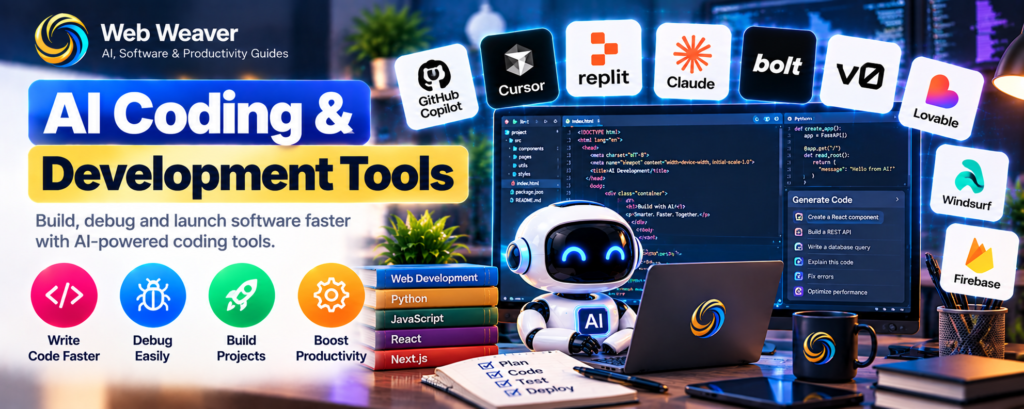
AI coding tools are becoming increasingly useful for both experienced developers and people who are still learning how software works. They can help explain unfamiliar code, suggest solutions, generate functions, identify errors, assist with debugging and, in some cases, help build complete applications from natural-language instructions.
They can save considerable time, but generated code shouldn’t automatically be treated as finished or correct. Bugs, security problems and incorrect assumptions can still appear. The strongest use of these tools is usually to speed up development while keeping a person involved in testing, reviewing and understanding what is being built.
36. GitHub Copilot

GitHub Copilot has changed quite a lot from the early version many developers remember.
Originally, the experience was largely about autocomplete. You start writing code, Copilot predicts what might come next, and you decide whether to accept the suggestion.
That’s still useful. Sometimes the best AI assistance isn’t building an entire application for you—it’s saving you from typing repetitive code you’ve written dozens of times before.
But Copilot now goes much further.
Its agent capabilities can analyze a codebase, edit files, run tests and validate results. GitHub also lets developers assign work to background coding agents and review the resulting changes afterward. GitHub
That’s where I’d start becoming more cautious.
Autocomplete gives you a few lines that you’re already looking at. An agent might change five files while you’re doing something else.
If all five changes are correct, that’s a huge time saver.
If four are correct and one quietly introduces a bug, reviewing the work becomes just as important as generating it.
And that’s probably the habit I’d want a beginner to learn first: don’t accept code simply because Copilot generated it quickly.
Read the diff. Run the application. Test the feature. Check what else changed.
Another practical advantage is that Copilot lives close to GitHub and the development environments many programmers already use. That means you don’t necessarily have to move your project into a completely different workflow just to get AI assistance.
For experienced developers, that integration can be more important than having the flashiest AI demo.
For beginners, Copilot can also be useful for explaining unfamiliar code—but I’d resist the temptation to let it build everything while understanding none of it. The first time something breaks, you’ll need enough knowledge to work out whether the AI’s proposed fix actually makes sense.
Best for: Developers already using GitHub, code completion, debugging, code review and agent-assisted development.
37. Cursor

Cursor is where AI coding starts to feel less like adding an assistant to your editor and more like building the editor around the assistant.
You can still write code normally, but Cursor’s Agent can search through a codebase, edit multiple files, run terminal commands and try to verify its own work. Larger jobs can also be planned and delegated across agents. Cursor
That sounds fantastic when the task is clear.
Imagine you already have a working website and need to add a login form. Instead of manually finding every relevant file, you can explain the requirement and let the agent inspect the project.
When it works well, that can remove a surprising amount of boring work.
But here’s where I think coding agents can become frustrating.
You ask for one change.
The agent decides that making the change requires restructuring something else.
Then another file needs updating.
Then it discovers an error.
It fixes the error.
Now the original feature works—but something unrelated doesn’t.
This isn’t unique to Cursor. It’s a consequence of giving AI enough freedom to work across a real codebase.
That’s why Cursor’s diff and planning workflow matters. For larger work, I’d much rather review what the agent intends to do before letting it modify half the project.
Cursor also supports different frontier models rather than tying the editor to only one model provider. Cursor
That gives developers flexibility, but it can also create another decision: which model should you use for which job?
A beginner may not care. They just want the feature to work.
An experienced developer may care a lot because speed, cost and coding quality can vary depending on the task.
The test I’d really like to run for our individual Cursor article is to give it an existing project with a real bug, rather than asking it to build another pretty landing page.
Finding and repairing somebody else’s messy code tells us much more about a coding assistant than generating a clean demo from scratch.
Best for: Developers who want AI deeply integrated into coding, debugging, refactoring and working across larger codebases.
38. Claude Code

Claude Code feels different because its natural home is much closer to the terminal and the actual repository.
You point it at a project and give it a job. It can explore the codebase, write and run tests, fix bugs and work through development tasks while keeping the developer involved. Anthropic describes the workflow as a loop of reading, planning, acting and observing. Anthropic
For somebody comfortable with terminals, that can feel surprisingly natural.
Instead of copying an error into a chatbot and then manually transferring the suggested code back into your project, the agent can inspect the files where the problem actually exists.
Context matters enormously in coding.
A function that looks wrong by itself may make perfect sense once you understand how three other files use it. An AI assistant that can inspect the repository has a much better chance of understanding that than one looking at a single pasted snippet.
Still, I’d never give it unlimited freedom simply because the model is capable.
Anthropic itself has spent time working on the permission problem. Claude Code normally asks before potentially consequential actions, and Anthropic has discussed the risk of users becoming careless after repeatedly clicking approval prompts. Anthropic
That’s a very real human problem.
The first few times an AI asks, “Can I run this command?” you read it carefully.
After approving 30 harmless commands, it’s tempting to approve number 31 without looking.
That number 31 might be the one you actually needed to read.
There’s another interesting point from Anthropic’s own research: people with more domain expertise tend to get better outcomes from Claude Code, even though people across different occupations can use it successfully. Anthropic
That makes sense to me.
AI can execute a lot of the how, but somebody still needs to make good decisions about what should be built and whether the finished result is correct.
So Claude Code can reduce typing and repetitive engineering work. It doesn’t remove the value of understanding the system you’re changing.
Best for: Developers comfortable with terminal workflows, debugging, testing, refactoring and larger repository-level tasks.
39. OpenAI Codex
Codex is another good example of how quickly the meaning of “AI coding assistant” has changed.
We’re no longer talking only about asking an AI to write a Python function.
Codex is designed as a coding agent that can take on engineering work such as features, refactoring and migrations, and OpenAI now supports running multiple agents across projects rather than limiting the experience to one conversation at a time. OpenAI
The Codex app is available on Windows as well as macOS, and Codex can also be used through the CLI, IDE and cloud. OpenAI
The multi-agent idea is where things become particularly interesting.
Imagine having three separate development tasks.
Instead of asking the AI to finish the first before discussing the second, different agents can work on different pieces simultaneously.
In theory, that’s an enormous productivity improvement.
In practice, it introduces a new job: supervising the agents.
If three agents each make changes to the same project, somebody still needs to understand whether those changes belong together, whether assumptions conflict and whether the combined result works.
This is why I wouldn’t describe tools like Codex as “developers without developers.”
They change what the developer spends time doing.
Less time may go into manually typing every implementation detail. More time can go into describing requirements, reviewing changes, testing results and making architectural decisions.
OpenAI’s current Codex product is built specifically around those longer agentic workflows, including parallel work and background tasks. OpenAI
And as of September 2026, OpenAI has also brought the Codex agent infrastructure into its Agents API for developers building their own long-running cloud agents. OpenAI
For our review, though, I don’t want us to test Codex by asking for a calculator.
Let’s give it a small existing application, request a meaningful feature and record what happens from the first instruction until the tests pass.
If we have to intervene six times, readers should know that.
If it completes the whole thing cleanly, they should know that too.
Best for: Agentic software development, larger engineering tasks, parallel coding work and developers already working with OpenAI’s ecosystem.
40. Replit
Replit becomes particularly interesting when the person with the idea isn’t necessarily a programmer.
You can describe an application or website in ordinary language, let Replit Agent build it, look at the result and continue asking for changes. Database, authentication, integrations and deployment can all happen within the same broader environment. replit
That removes a lot of setup.
Normally, “I want to build an app” quickly turns into a list of other questions.
Which programming language?
Which framework?
Where will the database live?
How do I handle authentication?
Where do I deploy it?
For somebody who mainly cares about the business idea, those questions can stop the project before it begins.
Replit Agent tries to let you start with what you want to build instead.
Its current Agent 4 also added a visual Design Canvas, collaborative project work and a workflow where design and development can continue alongside each other. replit
That’s genuinely useful for prototyping.
But here’s the point where I’d be careful with the phrase “no coding required.”
You may not need to write the initial code yourself.
That doesn’t mean software engineering problems disappear.
What happens when an integration fails? What happens when the database contains real customer information? Is authentication implemented securely? What happens when 10 users become 10,000?
A generated application that works in a demo isn’t automatically a production system I’d trust with a business.
So I’d be quite comfortable using something like Replit to turn an idea into a working prototype quickly.
The closer that prototype gets to handling payments, sensitive data or business-critical operations, the more I’d want someone who understands the code to review what was built.
That isn’t a failure of AI development. It’s simply recognizing the difference between making software easier to build and making software impossible to break.
Best for: Prototypes, entrepreneurs, students, rapid app development and people who want to turn an idea into working software without setting up everything manually.
41. Windsurf

Windsurf belongs in the same general conversation as Cursor, but again, I don’t think we should describe it as “Cursor but different.”
Windsurf is built around an agentic development environment where the AI works alongside the developer with awareness of the codebase.
Its Cascade agent can work with production codebases, while the current Windsurf 2.0 environment brings local and cloud agents together and includes an Agent Command Center for managing multiple pieces of agent work. Devin
That’s useful because AI coding is increasingly becoming a coordination problem.
When you have one assistant suggesting a line of code, there’s not much to manage.
When several agents are fixing bugs, building features and opening pull requests simultaneously, you need to know what each one is doing.
And that’s where I think these newer coding environments are heading.
The developer gradually moves from writing every line toward directing, inspecting and correcting AI-generated work.
But there’s a danger in that transition.
When an agent produces a large amount of code very quickly, reviewing it properly can feel slow.
It’s tempting to think:
The tests passed. The page looks right. Ship it.
That’s exactly when I’d want to slow down.
Tests only prove the things the tests actually check.
The AI might have solved the requested problem in a way that creates unnecessary complexity, duplicates existing logic or makes the next feature harder to build.
That’s why code quality still matters even when nobody manually typed the code.
For our Windsurf review, I’d like to compare the experience of making the same change in the same project with Windsurf and Cursor.
Not to declare one universally superior, but to look at practical differences: Which one understood the repository faster? Which needed fewer corrections? Which produced a cleaner change? And which made it easier to understand what the agent had actually done?
That’s information a developer can use.
Best for: Agentic coding, existing codebases, developers working with multiple AI agents and people who want AI deeply integrated into their development environment.
42. Bolt

Bolt is probably the tool in this category where the gap between having an idea and seeing something on the screen can feel smallest.
You can describe the application you want in plain language and watch it build inside the browser.
No local development environment. No spending the first hour installing packages. No blank project where you’re wondering which file you’re supposed to open.
Bolt can generate the interface and application logic, work with databases and authentication, preview the result and deploy the application to a live URL. bolt.new
For somebody who isn’t a developer, that first experience can feel almost ridiculous.
You explain an idea.
A minute later, there’s something that looks like an application.
But this is where I would tell readers not to stop at the first screen.
A homepage is easy to impress someone with.
Let’s click everything.
Create an account.
Enter the wrong password.
Refresh halfway through a form.
Open it on a phone.
Try an empty field.
Add 100 records.
Delete something.
Log out and log back in.
That’s when you discover whether you have an application or just a convincing demonstration.
Bolt does let users continue prompting changes or edit the generated code directly, which is important because eventually you’re likely to encounter something the first generation didn’t get right. bolt.new
It has also continued changing rapidly. In September 2026, Bolt introduced Forge, an agent using open models as another building option within the platform. bolt.new
For Web Weaver, I can see a practical use immediately.
Instead of discussing an app idea for a week, we could build the first working version, put it in front of someone and learn from what they actually try to do.
That’s valuable even if the prototype eventually needs to be rebuilt or reviewed by a developer.
Because sometimes the biggest waste in software isn’t writing bad code.
It’s spending three months writing the wrong product.
Best for: Rapid prototypes, websites, web applications, founders and non-developers who want to turn an idea into something interactive quickly.
AI Productivity & Knowledge
AI productivity tools focus on reducing the amount of time we spend organizing, searching for and processing information. Depending on the tool, they can summarize meetings, answer questions about your documents, organize notes, help create presentations or assist with managing everyday work.
These tools can be particularly valuable when information is spread across meetings, documents and projects. Instead of manually searching through everything, AI can help surface what matters more quickly. The important question is whether the tool genuinely simplifies your workflow rather than adding another application you have to manage.
43. Gemini Notebook

First, an important update for this article: NotebookLM was officially renamed Gemini Notebook on July 16, 2026. Google says it remains a standalone research product while becoming more integrated with Gemini and Google’s wider ecosystem. blog.google
Gemini Notebook is one of the AI tools I’d approach differently from a normal chatbot.
Instead of starting with everything the AI might know, you give it your sources—documents, research material and other information—and work from that collection.
That makes it particularly useful when the question isn’t “What does the internet say about this?” but “What do these documents say about this?”
Imagine a student has lecture notes, PDFs and research material scattered across different files. Reading everything again just to locate one explanation is frustrating. Putting those sources into a notebook and asking questions across them can make the material much easier to explore.
The same idea works outside education.
A business could create a notebook containing product documentation, training material and company information. A content creator could collect research for a long video. Someone comparing products could keep specifications and source material together.
The important advantage is grounding. You’re giving the AI a defined collection of information to work with rather than hoping it remembers the right facts from its training.
But grounded AI still shouldn’t mean blind trust.
If Gemini Notebook summarizes a complicated document, I’d use the summary to understand the material faster and then check the original source when an exact number, quotation or important conclusion matters.
Google has also expanded the product beyond text Q&A. It now includes different generated learning and overview formats, and in September 2026 Google added real-time conversations with notebooks and new interactive learning features. blog.google
The danger is using those outputs as a substitute for learning.
Listening to an AI explain a 100-page report is convenient. But if the report actually matters to your work, understanding the important sections yourself still matters.
Used properly, Gemini Notebook isn’t there to stop you reading.
It’s there to help you figure out what deserves your attention first.
Best for: Research, studying, understanding large source collections, document analysis and building project-specific knowledge bases.
44. Notion AI
Notion AI becomes much more interesting when there’s already useful information inside Notion.
If all I need is a paragraph rewritten, opening Notion specifically for AI wouldn’t make much sense. Plenty of general assistants can do that.
The advantage appears when your notes, projects, documents, databases and team knowledge are already there.
Then the AI has context.
You can ask questions about information in the workspace, generate or edit content, research subjects and search across connected sources. Notion’s Enterprise Search can also search connected services such as Slack, Google Drive, Jira and GitHub while providing citations back to the source material. Notion
That’s potentially a much bigger productivity improvement than generating another email.
Consider a team that’s been working on a project for six months.
Someone asks, “Why did we decide not to use that payment provider?”
The answer might be buried in a meeting note from four months ago, a Slack conversation and an old project document.
Finding that manually is annoying.
If AI can retrieve the decision and point you back to the original material, that’s the kind of small improvement that can save time repeatedly.
Notion has also moved further into agents. Its current Notion Agent can work with pages and databases, while Custom Agents can automate recurring work. AI Meeting Notes can transcribe and summarize meetings as part of the same workspace. Notion
But Notion has always had another problem: it’s very easy to build a beautiful productivity system instead of doing the work the system was supposed to organize.
AI can make that temptation even stronger.
You don’t need an agent, automated database and sophisticated workflow for every small task.
For an individual with ten simple notes, the extra setup may create more complexity than it removes.
For a team already living in Notion, though, AI having access to the same workspace can be considerably more useful than a separate chatbot that knows nothing about the project.
Best for: Knowledge management, team workspaces, documents, project information, meeting notes and organizations already using Notion heavily.
45. Gamma
Gamma addresses one of those jobs that can consume far more time than expected:
“I need to make a presentation.”
Writing the information may take an hour.
Then another two hours disappear while you resize boxes, search for images, rearrange slides and try to make everything look as though it belongs together.
Gamma uses AI to help turn an idea or existing material into a structured visual presentation much faster.
And this is one area where AI generation makes practical sense.
Most people making an internal presentation aren’t trying to become professional presentation designers. They want the information to look clean enough that design doesn’t distract from the message.
Starting with a generated structure can remove the blank-page problem.
But presentations reveal a common weakness of generative AI: AI doesn’t necessarily know what deserves a slide.
Give it a large amount of information and it may try to include too much.
You end up with a presentation that technically contains everything but forces the audience to read paragraphs while you’re talking.
That’s not really a presentation anymore. It’s a document broken into rectangles.
So I wouldn’t generate a Gamma deck and immediately present it.
I’d go through every section and ask: What is the one thing someone should understand from this screen?
Anything that doesn’t help answer that question is a candidate for removal.
Gamma is also useful beyond conventional presentations because its card-based approach can produce visual documents and web-style content.
But again, speed should be the starting advantage—not permission to skip thinking.
If Gamma turns a rough outline into something visually presentable in minutes, that’s useful.
If we then spend some time removing unnecessary information, correcting claims and adding our own examples, we’ve probably still saved considerable work.
Our eventual review should test this properly: give Gamma a messy document rather than a perfectly prepared outline and see whether it can turn unorganized information into a presentation we’d genuinely use.
Best for: AI presentations, pitch materials, visual documents and people who want polished layouts without designing every slide manually.
46. Otter.ai
Otter solves a problem that sounds simple until you’ve actually tried doing it:
taking useful notes while also participating properly in a meeting.
If you’re typing constantly, you’re not giving the conversation your full attention.
If you stop taking notes, there’s a good chance someone will later ask, “Who agreed to do that?”
Otter can join or capture meetings, transcribe the conversation and make the resulting information searchable. It supports workflows around Zoom, Microsoft Teams and Google Meet, including speaker identification, transcript editing, search and imported recordings. Otter.ai
That can be genuinely useful.
Instead of relying on everybody’s memory, you have a searchable record.
But transcription accuracy matters much more than a demo percentage suggests.
A harmless mistake like turning “marketing campaign” into something slightly different may be obvious from context.
A wrong date, amount, customer name or technical term is another matter.
And meetings are difficult audio environments. People interrupt each other. Someone has a poor microphone. There are different accents. A fan is running in the background. Someone joins from their phone.
That’s the test I’d care about.
Give Otter a clean one-person recording and I’d expect good results.
Give it a real meeting with five people talking naturally and we start learning whether it saves work.
Otter has also expanded beyond transcription into AI meeting agents. In July 2026 it introduced Live Assist for real-time coaching during calls, and its broader meeting-agent direction includes answering questions and helping with tasks around conversations. Otter.ai
That creates an interesting possibility.
The AI doesn’t only tell you what happened after the meeting. It can potentially help while the meeting is happening.
For sales calls, interviews or structured discussions, that could be useful.
But I wouldn’t want someone staring at AI coaching suggestions so closely that they stop listening to the actual person they’re talking to.
The technology should reduce the mental load of the meeting—not become another participant demanding your attention.
And for important meetings, participants should know when recording or transcription is happening; consent and applicable recording rules still matter.
Best for: Meeting transcription, searchable conversations, interviews, meeting summaries and teams that need reliable records of discussions.
47. ClickUp Brain
ClickUp Brain makes the most sense when the thing overwhelming you isn’t one document.
It’s work itself.
Tasks are in one place. Someone added an important detail in a comment. A project deadline changed. There are documents nobody has opened recently. A manager wants a progress update, and finding the answer means opening twelve different tasks.
That’s the kind of environment where AI having access to project context can become genuinely useful.
ClickUp Brain can work with tasks, Docs, conversations and other workspace information. It can answer questions, create content, produce project summaries and updates, and help create or manage tasks. ClickUp Help
ClickUp’s newer Brain² system goes considerably further. It supports workflows, artifacts such as presentations and dashboards, multiple AI models, deep research and Super Agents designed to perform work using company context. ClickUp Help
There’s a practical example I’d want to try.
Imagine Web Weaver has 20 active client tasks.
Instead of manually opening every task before a morning meeting, we ask:
“Which projects are behind schedule, what’s blocking them, and what needs attention today?”
If Brain can correctly answer that from the actual project data, that’s useful AI.
If it gives a beautifully written summary but misses the task where somebody mentioned an urgent client problem yesterday, the summary becomes dangerous because it creates false confidence.
That’s why context-based workplace AI needs a different standard from a writing assistant.
A slightly boring marketing headline isn’t a disaster.
Incorrectly telling a manager that everything is on schedule could be.
I’d therefore verify important status information against the underlying tasks, especially until I understood how reliably the system interpreted our workspace.
ClickUp Brain can also perform data analysis by executing calculations against uploaded files and workspace information rather than merely guessing from text. ClickUp Help
That opens more interesting possibilities: reports, charts, workload analysis and project data could potentially be handled from natural-language requests.
But there’s still a fundamental productivity rule here.
If the team’s ClickUp workspace is a mess, adding AI doesn’t magically create accurate project management.
The AI’s context is only as useful as the information people actually put into the system.
Best for: Project management, team knowledge, project summaries, task automation and organizations already managing substantial work inside ClickUp.
AI Automation & Marketing
AI becomes especially interesting for businesses when it moves beyond generating content and starts helping with repetitive work. Automation and marketing platforms can combine AI with workflows to help process information, organize leads, personalize communications, analyze data and connect different applications.
The biggest benefit can be reducing repetitive manual tasks, but automation needs to be designed carefully. A poorly configured workflow can make mistakes much faster than a person can. The most useful systems combine automation for predictable tasks, AI where interpretation is helpful, and human review where judgment matters.
48. Zapier
Zapier is one of the easiest automation platforms to understand because the basic idea is simple:
When something happens here, do something over there.
A customer submits a form.
Add the lead to the CRM.
Send a notification.
Create a task.
Add the information to a spreadsheet.
Send a follow-up email.
Once you’ve manually repeated a process enough times, connecting those steps can save a surprising amount of work.
Zapier currently connects with more than 9,000 apps, and its workflows can combine ordinary trigger-and-action automation with AI models such as ChatGPT, Claude and Gemini. Zapier Help
That’s where Zapier becomes more interesting than simple app-to-app automation.
Traditional automation is predictable.
If a form is submitted → copy these fields into the CRM.
AI allows the workflow to deal with information that isn’t as neatly structured.
For example, imagine Web Weaver receives a website enquiry.
Instead of simply saving the message, AI could read what the prospect wrote, determine whether they’re asking about SEO, web development or paid advertising, summarize the requirement and then route the lead appropriately.
Zapier’s current AI capabilities can use connected tools to gather information and take actions, while its agentic functionality is being integrated directly into AI by Zapier inside Zaps. Zapier Help
That’s powerful, but it’s also where I’d start putting limits around what AI is allowed to do.
I’m comfortable letting AI categorize a lead.
I’d be more careful letting it decide automatically that a lead should be rejected.
And I’d be considerably more careful letting it send a quotation or make a financial decision without anyone checking the result.
The best automation isn’t necessarily the workflow with the fewest humans.
Sometimes the right workflow is:
AI does 90% → human checks → automation finishes the remaining 10%.
Another issue is that automation can hide broken processes.
If a business has a confusing lead-handling process, automating it doesn’t necessarily fix the problem. It can simply perform the confusing process faster.
So before building a complicated Zap, I’d first ask: What exactly happens manually today?
Once that process makes sense, automate the repetitive parts.
Best for: No-code automation, connecting business apps, lead workflows, marketing operations and teams that want automation without building everything themselves.
49. n8n
n8n starts solving the same general problem as Zapier—connecting systems and automating work—but it gives you considerably more freedom over how the workflow actually works.
That flexibility is probably its biggest strength and its biggest challenge.
n8n lets you visually connect workflow steps while still allowing JavaScript or Python when you need custom logic. It can connect through built-in integrations, APIs and other services, and you can use its hosted service or self-host it. n8n Documentation
For somebody comfortable with technical workflows, that opens a lot of possibilities.
Imagine we wanted an automated lead system for Web Weaver.
A workflow could receive a lead, collect permitted information, send that information to an AI model for classification, check conditions, update a database, notify the appropriate team member and prepare a personalized draft response.
And instead of allowing AI to control the whole process, we could decide exactly which parts are deterministic and which parts require AI reasoning.
That’s a distinction I really like.
If something can be handled with a simple rule such as:
Budget > ₹50,000 → notify sales manager
I don’t need an AI model making that decision.
AI becomes useful when the input requires interpretation—for example, understanding what a prospect actually wants from a long free-text enquiry.
n8n explicitly supports combining AI agents with rule-based logic, human approvals and execution monitoring. It currently advertises 500+ integrations, and its workflows can connect to additional services through APIs and MCP. N8N
Its AI Workflow Builder also addresses one of n8n’s traditional difficulties: building a complicated workflow from a blank canvas.
You can describe an automation in natural language, let the AI build a starting workflow, then inspect, test and modify the normal n8n workflow it creates. n8n itself recommends building complicated automations iteratively rather than expecting one enormous prompt to produce a perfect production workflow. n8n Blog
That last point matters.
A workflow can look perfectly logical on the canvas and still fail when real-world data arrives.
A field might be empty.
An API might be unavailable.
Someone might enter a phone number in an unexpected format.
An AI model might return something completely different from the format you expected.
So with n8n, I’d spend as much time thinking about what happens when the workflow fails as what happens when it succeeds.
For a simple two-app automation, all that flexibility may be unnecessary.
For more advanced systems—especially where you want custom APIs, self-hosting, AI agents or detailed control—n8n becomes much more interesting.
Best for: Advanced automation, AI agents, API workflows, self-hosting and technical users who want much more control over their automation logic.
50. HubSpot AI
HubSpot is different from Zapier and n8n because automation isn’t the entire product.
The real advantage is that the AI can sit next to something extremely valuable:
your customer data.
A generic AI assistant might help write a sales email.
HubSpot’s AI can potentially understand the CRM record the email relates to—the contact, company, previous interactions and other information already available inside the system.
That context changes what AI can actually do.
HubSpot’s current AI system is centered around Breeze. Breeze Assistant can generate content, summarize CRM records, help prepare for meetings and perform tasks using HubSpot context. HubSpot Knowledge Base
HubSpot also provides specialized agents and an Agent Builder. Businesses can create agents using their CRM data, instructions and knowledge sources, then control the actions those agents are allowed to take. HubSpot
Let’s make that practical.
Suppose Web Weaver has 500 leads in its CRM.
Some contacted us recently.
Some haven’t replied for two months.
Some asked about website development.
Some wanted SEO.
Some may already have received a proposal.
Instead of asking someone to manually inspect every contact, AI could help identify groups that need attention, summarize previous interactions and prepare the next step for the sales team.
That’s far more useful than asking AI:
“Write me a sales email.”
Because now the AI potentially knows who the email is for and what’s already happened with that person.
But that also raises the standard for accuracy.
If an AI blog draft contains one incorrect sentence, an editor can catch it.
If CRM automation misunderstands a customer’s history and sends an inappropriate follow-up, the customer sees the mistake.
So I’d use automation carefully around customer-facing actions.
HubSpot lets teams test agents before publishing them, set guardrails and review agent output. HubSpot
There’s another change worth knowing about in 2026.
Breeze Assistant can now work with supported connected third-party applications, allowing information from other tools to be retrieved or acted on without leaving HubSpot. HubSpot Knowledge Base
That moves HubSpot closer to becoming not merely a CRM with an AI writing button, but a place where AI can work across parts of the customer journey.
Still, AI can’t repair bad CRM data.
If duplicate contacts, outdated information and incomplete records are everywhere, giving an AI access to them doesn’t magically make the information correct.
Before trusting CRM AI heavily, I’d want the underlying customer data to be reasonably clean.
Best for: CRM-based AI, sales, marketing, customer service, lead management and businesses already managing customer relationships through HubSpot.
Final Thoughts: Finding the Right AI Tools for You

AI has changed remarkably quickly, and 2026 is unlikely to be the end of that transformation.
What started for many people as a chatbot answering questions has grown into an entire ecosystem of tools capable of helping us research, write, design, create videos, generate voices, build software, analyze information and automate parts of our everyday work.
AI agents are pushing that change even further. Instead of only responding to individual prompts, newer systems are beginning to work through larger tasks, interact with tools and information, and help complete workflows that previously required several separate applications and many manual steps.
But having more powerful AI doesn’t mean we need to use every AI tool available.
In fact, that may be the wrong approach.
The best AI tool isn’t necessarily the one with the longest feature list, the most impressive demonstration or the most attention online. It’s the one that solves a real problem for you.
Maybe ChatGPT becomes the assistant you use every day for research and ideas. Maybe Midjourney or Adobe Firefly becomes part of your creative workflow. Perhaps a coding assistant saves you hours of debugging, or an automation tool quietly removes repetitive work from your business.
Even saving 20 minutes from something you do every day can become valuable over time.
At the same time, AI still has limitations. It can misunderstand what we want, generate incorrect information and sometimes produce results that look convincing without actually being accurate. The smartest way to use these tools isn’t to hand over every decision to AI, but to combine AI’s speed and capabilities with human judgment, experience and creativity.
And this list isn’t meant to remain frozen in time.
AI is evolving too quickly for that.
New tools will appear. Existing tools will gain new capabilities. Some will become significantly better, while others may eventually disappear. We’ll continue updating this guide as the AI landscape changes and building detailed reviews, comparisons and practical tutorials for the tools covered here.
So you don’t need to try all 50 tools today.
Start with one.
Choose a task that takes too much of your time. Find the AI tool in this list that could help with it. Try it with real work, understand what it does well, learn where it struggles and decide whether it deserves a place in your workflow.
Then move to the next problem.
Because the future of AI isn’t really about how many tools we have.
It’s about what we can accomplish when we learn to use the right ones well.
Continue exploring Web Weaver Tools
Explore our detailed AI tool reviews, comparisons and practical guides as we test the tools from this list and find out which ones are genuinely worth using.